

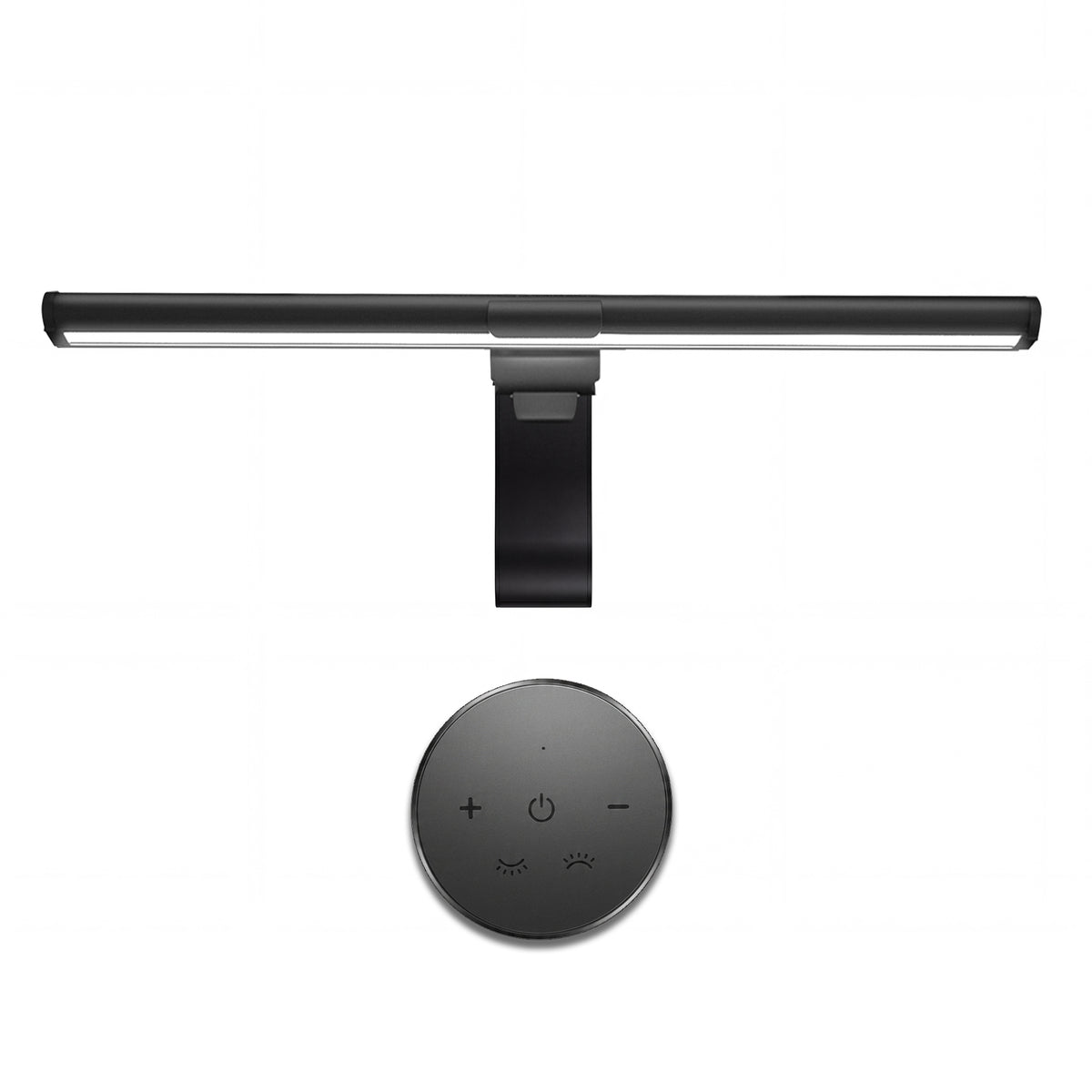
ooWOLF Sentinel™ Essential | 16.14″ Dual-Light Screen Bar
Verkaufspreis$49.00Normaler Preis
$69.00
★
★
★
★
★
Excellent 5.0 (70 Reviews)
Beeilen Sie sich, nur noch 10 Artikel auf Lager!
Ships from our U.S. warehouse
Delivered to your door in 3–5 business days.


ooWOLF Sentinel™ Essential | 16.14″ Dual-Light Screen Bar
Black
Verkaufspreis$49.00Normaler Preis
$69.00
U.S. warehouse fulfillment
Delivered within 72 hours
30-day worry-free returns
New · Sentinel™ Essential
A better desk is 72 hours away.
The small upgrade that changes the hours you spend in front of a screen: clearer work light, a softer background glow, and a desk that feels good to come back to.
Less desk clutter. More reason to sit down. Sentinel™ Essential makes an ordinary screen setup feel intentional—whether you are working late, gaming or easing into the evening.
Sentinel™ Essential TL03R · CRI ≥ 95 front task lighting
If you have any questions, you are always welcome to contact us. We'll get back to you as soon as possible, within 24 hours on weekdays.
-
Shipping Information
Use this text to answer questions in as much detail as possible for your customers.
-
Customer Support
Use this text to answer questions in as much detail as possible for your customers.
-
FAQ’s
Use this text to answer questions in as much detail as possible for your customers.
-
Contact Us
Use this text to answer questions in as much detail as possible for your customers.
The Details of Your Day Deserve Better Light.
Bring Your Desk Back to Life.
Your screen is only part of the picture. The work in front of it, the objects around it, and the atmosphere you create all deserve light that feels considered.
Sentinel™ Essential helps your workspace feel clearer, calmer, and more alive—morning through night.
Fit & setup
Will it work with your monitor?
Here is the clear answer.
A quick guide to mounting, power and what is included—so you can know exactly what to expect before you bring Sentinel™ Essential to your desk.
Will it fit my monitor?
Made for a clean, centered monitor setup.
The mounting clip sits on top of a compatible flat monitor. The light is designed to stay centered, with its main beam directed down to your desk.
- For compatible flat monitors: center the clip above the screen for the most stable setup.
- One clean cable: the light connects through its built-in USB-C port.
- Need a fit check? If your monitor back is curved, unusually thin or irregular, contact us before ordering.
What do I need?
Everything essential is straightforward.
No complicated installation. Just a USB power source and a few simple setup steps.
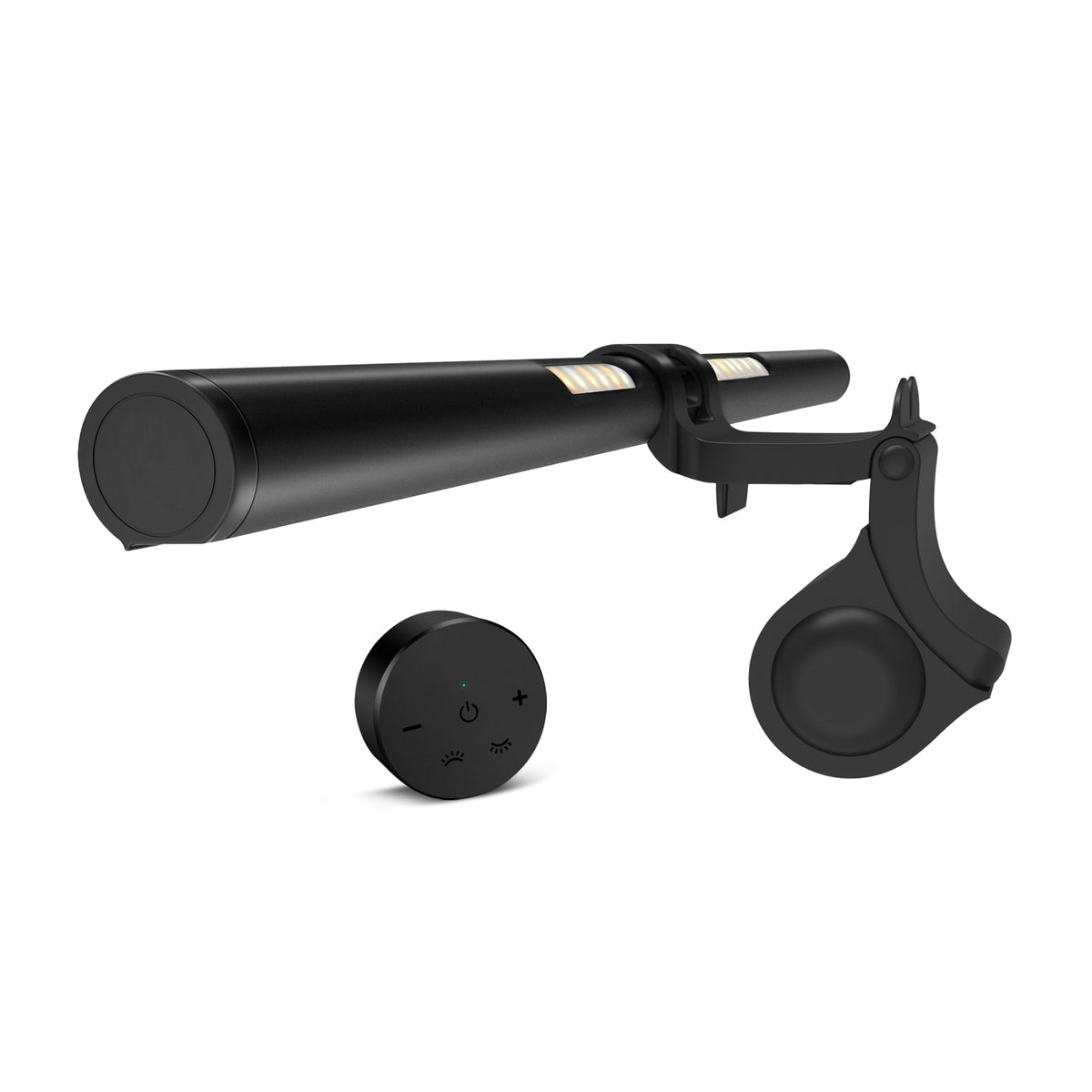
In the boxScreen light bar · mounting clip · USB power cable · wireless remote · instruction manual
- Power: connect to a computer USB port or a regulated 5V/1A-or-higher USB power source.
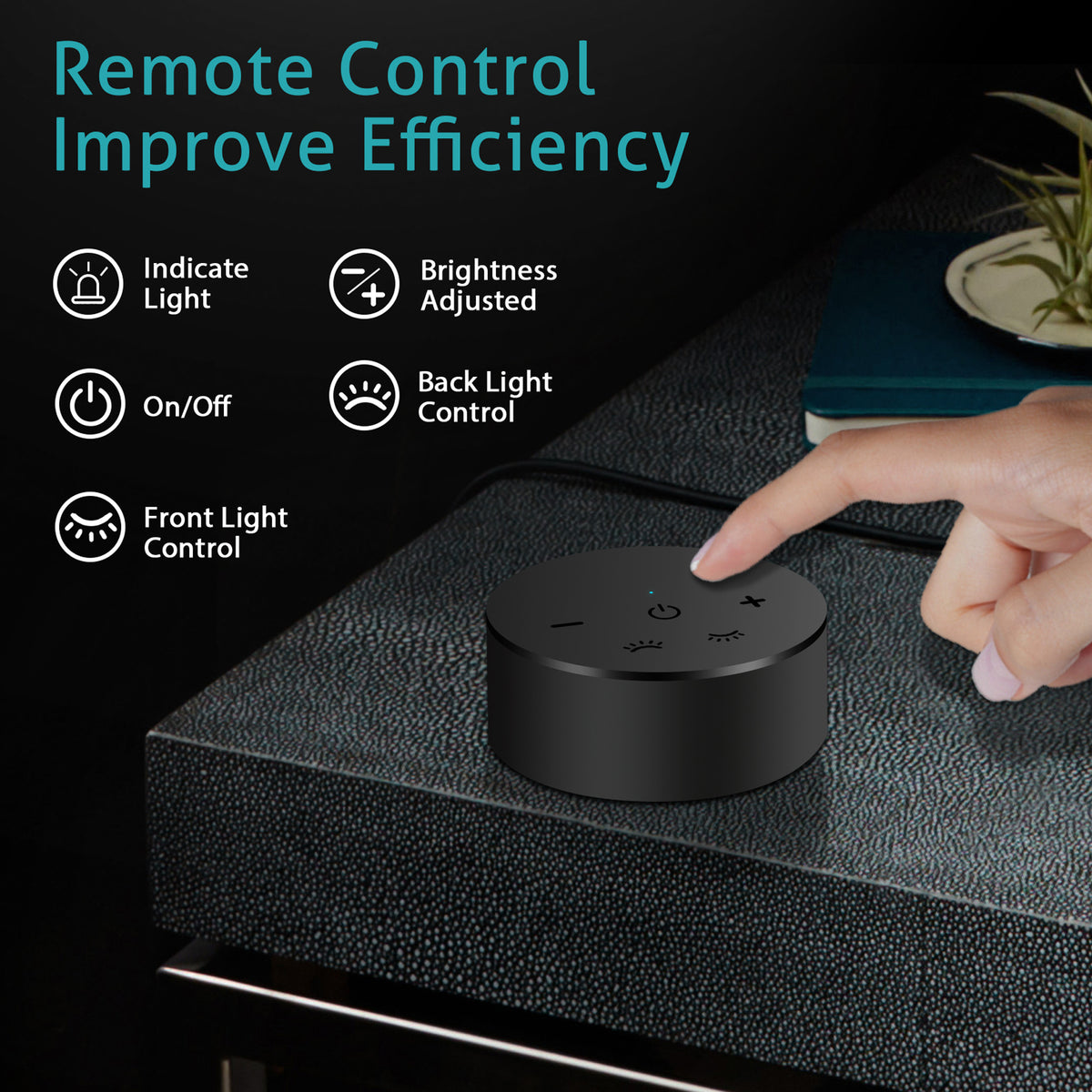
- Control: use the on-light controls or the included 2.4G wireless remote.
- Small heads-up: the remote uses 2 AAA batteries, not included.
Your first setup, in three clear steps.
Then your preferred light setting is remembered for next time.
Attach the clip
Connect the clip to the light bar, then position it at the center of your monitor with the main light facing down.
Connect the USB-C cable
Plug the cable into the light, then into your computer or a suitable USB power source.
Adjust once. Enjoy daily.
Choose front or back illumination, adjust brightness and color temperature, and let memory mode keep your last setting.
We want you to love the fit. If anything about your monitor profile seems unusual, reach out before ordering. We will help you confirm whether Sentinel™ Essential is right for your setup.

More Than a Brighter Desk.
After dark, a bright screen can leave the rest of your desk feeling flat and disconnected. Sentinel™ Essential pairs focused front light with a soft rear glow, giving the space around your screen a more balanced feel. Your keyboard, screen and surroundings become one considered setup—clear enough to focus, inviting enough to stay awhile.
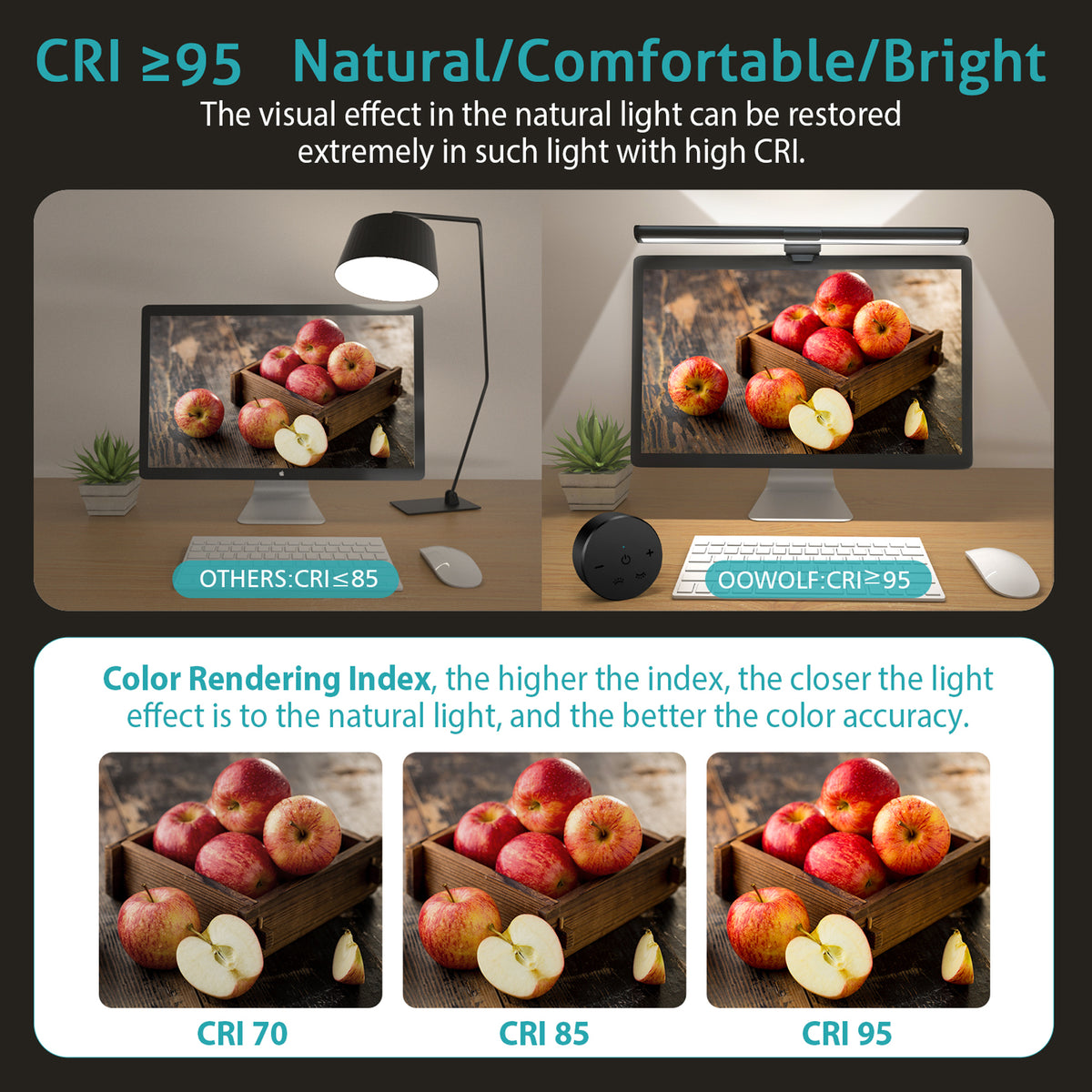
CR95+ Restore true colors
Standard LED lighting distorts color. The Sentinel™ Bio-Nurture delivers a CRI 95+ sun-like spectrum that renders every shade — from the warmth of amber to the precision of clinical white — exactly as nature intended. For designers, photographers, and anyone who needs to trust what they see on screen, this is the difference between guessing and knowing.

Other

CR95+
FULL SPECTRUM, Born for a comfortable eye-use environment
2700K warm sunrise to 6500K daylight precision — tunable across the full circadian spectrum.

FAQs
Please read our FAQs page to find out more.
Is the Sentinel™ compatible with MacBooks and Windows laptops?
Yes. The Sentinel™ Retinal Defense Beam is designed to work with virtually any laptop or external monitor with a screen thickness of up to 10mm. This includes all current MacBook models (Air and Pro), Dell XPS, Lenovo ThinkPad, HP Spectre, and most standard external monitors. The silicone-lined clip holds securely without scratching your screen bezel.
How does it attach to my laptop screen?
The Sentinel™ uses a weighted counterbalance clip system — the same mechanism used in professional monitor lights. You simply place the clip over the top edge of your screen, and the internal counterweight holds it in position without any clamps, screws, or adhesive. It takes about 5 seconds to attach and can be moved between devices instantly.
Does it work with USB-C or USB-A?
Both. The Sentinel™ connects via USB-C (5V/1A) and includes a USB-A adapter in the box. You can power it from your laptop's USB-C port, a USB hub, a wall adapter, or any standard USB power source. It does not require a dedicated power brick.
Can I use it as a standalone desk lamp without attaching it to a screen?
The Sentinel™ is optimized for screen-mounted use, but it can be placed on a flat surface using the included base stand (included in select configurations). When used as a standalone lamp, it delivers the same CRI 97+ full-spectrum output and 2700K–6500K color temperature range — making it a capable task light for reading, sketching, or keyboard work even without a monitor.
What's the color temperature range, and how do I control it?
The Sentinel™ covers 2700K (warm amber, ideal for evening work and relaxation) through 6500K (crisp daylight, ideal for focused daytime tasks and color-accurate work). Control is via a single precision stepless dial on the lamp body — rotate clockwise to increase brightness, counterclockwise to shift color temperature. There is no app required and no Bluetooth pairing needed. Analog control, instant response.
Product Details
Dual-Light Screen Lighting.
A Calmer, Clearer Desk.
The Sentinel™ Essential brings focused task light to your keyboard and desk, with a soft backlight behind your display. One compact light bar helps make your screen setup feel more considered—without taking up desk space.
DUAL LIGHT
Front + Back
Front task lighting for your desk. A soft rear glow for a more balanced screen environment.
CRI ≥ 95
Natural Color
High color rendering helps your keyboard, notes and workspace appear more natural and clear.
3 MODES
Light Your Way
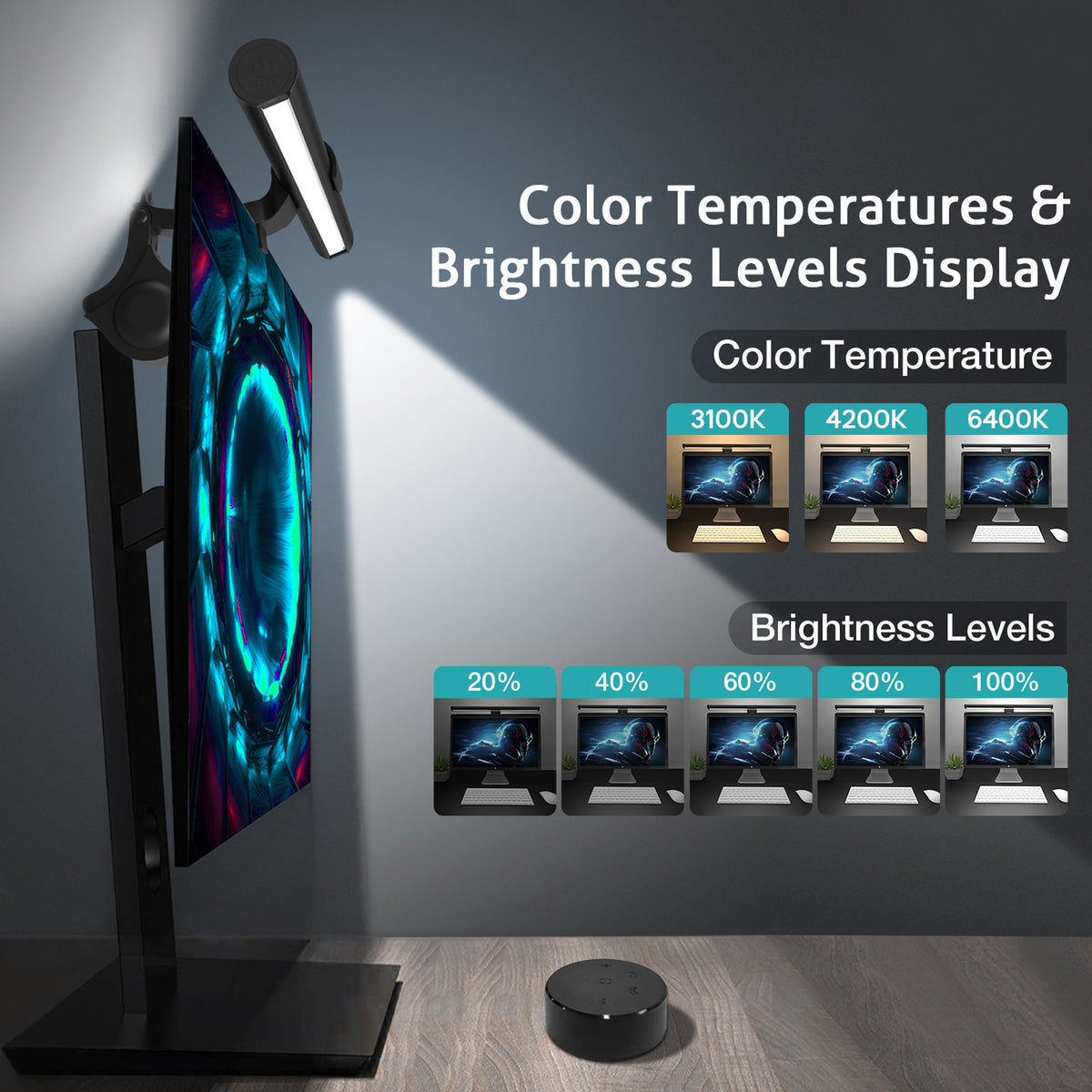
Move from warm to neutral to cool light, then fine-tune brightness for the task in front of you.
Your Desk Has Two Sides. Your Light Should Too.
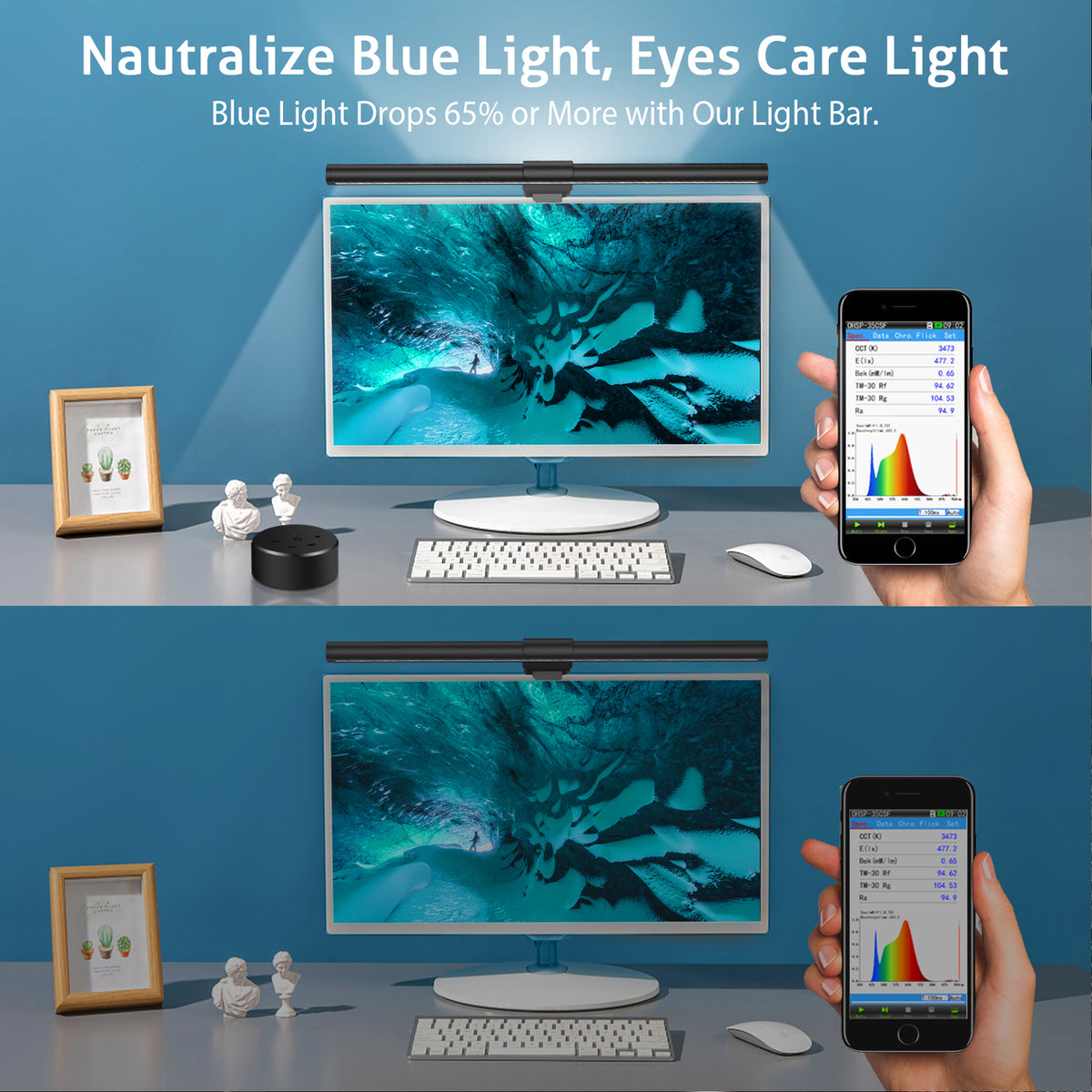
Most desk lights brighten the work surface but leave the area behind your monitor visually flat. Sentinel™ Essential combines a forward-facing screen light with a rear ambient light, creating a more complete lighting layer around your display.
It mounts above compatible monitors, keeps your desk clear and gives you direct control over brightness and color—whether you are working, reading, studying or gaming after dark.
One Remote. One Better Setup.
Use the included wireless remote for easy adjustments from your desk, or use the touch controls on the light bar itself.
Choose between warm, neutral and cool color temperatures. Turn brightness up for detailed tasks, or lower it when you want a quieter atmosphere. The memory function restores your last setting after power-off.
Technical Specifications
| Model | TL03R |
| Product Type | Dual-Light Monitor Screen Bar |
| Length | 16.14 in / 41 cm |
| Color Temperature | 3100K / 4200K / 6400K |
| Brightness | Stepless Dimming |
| Color Rendering | Front Light CRI ≥ 95 |
| Rated Power | 6W Max |
| Power Input | DC 5V / 1200mA USB Power |
| Control | 2.4GHz Wireless Remote + Touch Control |
| Memory Function | Restores Your Last Brightness and Color Setting |
What’s in the Box
Sentinel™ Essential monitor light bar · Wireless remote control · USB power cable · User guide
01 | The Non-Intrusive Aperture (Camera-Safe Protocol)
Most monitor lights create a visible hotspot that bleeds into your camera frame during video calls — a problem that becomes immediately obvious the moment you join a meeting. The Sentinel™ solves this with a precision-engineered asymmetric optical aperture that directs 100% of the light downward onto your desk surface.
The result: your face is evenly lit by ambient reflection, your screen remains glare-free, and your camera captures a clean, professional image. No light rings. No washed-out backgrounds. No adjustments needed.
This is the Camera-Safe Protocol — invisible in your frame, essential in your workflow.
02 | Circadian Synchronization (The 2700K - 6900K Spectrum)
Your body's internal clock is governed by light. The wrong color temperature at the wrong time of day disrupts melatonin production, degrades sleep quality, and accelerates cognitive fatigue — even if you feel fine in the moment.
The Sentinel™ covers the full circadian spectrum from 2700K warm amber (morning calm, evening wind-down) to 6500K crisp daylight (peak focus, precision work). A single stepless dial gives you continuous, flicker-free control across the entire range.
Set it warm for your 9 PM writing session. Set it to daylight for your 10 AM design review. Your biology will notice the difference before your brain does.
03 | 13-Inch Balanced Engineering
The Sentinel™ measures 13 inches (330mm) — a deliberate engineering choice. Most laptop screen lights are either too short to cover the full width of a 15-inch display, or too long and heavy to stay balanced on a 13-inch MacBook lid without tipping.
The 13-inch form factor achieves the optimal balance point for screens from 13 to 17 inches: wide enough to deliver even illumination across the full workspace, light enough (approx. 280g) to clip securely without stressing the screen hinge.
The zinc-alloy chassis adds rigidity without adding weight. The silicone-lined clip protects your screen finish. Every millimeter is accounted for.
04 | Asymmetric Light Path (Zero-Reflect Protocol)
A symmetric light source placed above a monitor creates an unavoidable problem: light bounces off the screen surface and directly into your eyes. This is the root cause of the "screen glare" that most users accept as an inevitable part of desk work.
The Sentinel™ eliminates this entirely with an asymmetric optical design. The lens is engineered to project light at a precise downward angle — illuminating your keyboard, notebook, and desk surface while keeping the screen surface in its optical shadow.
The result is 0% screen glare, verified under high-speed camera testing. Your screen contrast stays sharp. Your eyes stay relaxed. The Zero-Reflect Protocol is not a feature — it's a fundamental requirement for any light source placed above a display.
Free Shipping